
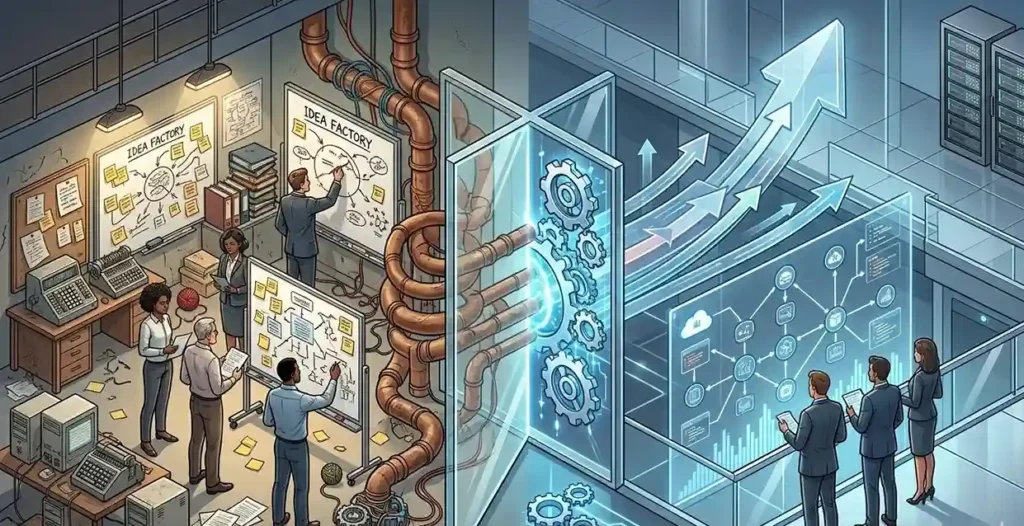
Most businesses do not struggle because they lack software. They struggle because their systems do not communicate. Leads sit untouched in inboxes. Support tickets wait hours before being assigned. Finance teams manually process invoices. Managers waste Monday’s building reports that nobody fully reads.
The problem is not effort.
The problem is fragmented operations.
That is why companies are increasingly adopting n8n workflows, a flexible workflow automation platform that connects APIs, AI tools, CRMs, communication systems, and databases into scalable operational workflows.
The real advantage of n8n is not just automation. It is operational orchestration.
In this guide, we’ll break down some of the most effective n8n use cases businesses are using in 2026 to reduce manual work, improve response times, and scale operations without increasing overhead.
Each workflow below follows the same structure:
- The business problem
- The n8n setup
- What changes after deployment
These are practical automation blueprints already shaping SaaS operations, sales systems, support workflows, onboarding pipelines, and reporting infrastructure.
5 Proven n8n Workflow Examples for Business: From Idea to Setup
By the end of 2026, 40% of workplace apps will have task-specific AI agents, up from less than 5% in 2025, according to Gartner. There won’t be a shift. It is present. The most effective automation workflows are based on operational issues that cause daily business slowdowns rather than on tools. These errors, which range from manual support routing and delayed lead responses to complex onboarding and reporting duties, steal time, money, and team productivity. The following n8n workflow examples demonstrate how companies use scalable solutions that integrate apps, APIs, AI, and internal procedures into a single, efficient workflow to address actual operational difficulties.
Workflow 1: Lead Capture → CRM → Instant Slack Alert
The Business Problem
A lead fills out your form, expecting a quick response, but instead, the submission sits unnoticed in a queue for two to four hours until someone finally checks it. By that point, a competitor has often already replied and started the conversation. In modern sales, speed-to-lead is one of the strongest predictors of conversion. Yet, many businesses still rely on slow, manual lead-routing processes that create delays, missed opportunities, and lost revenue.
The n8n Setup
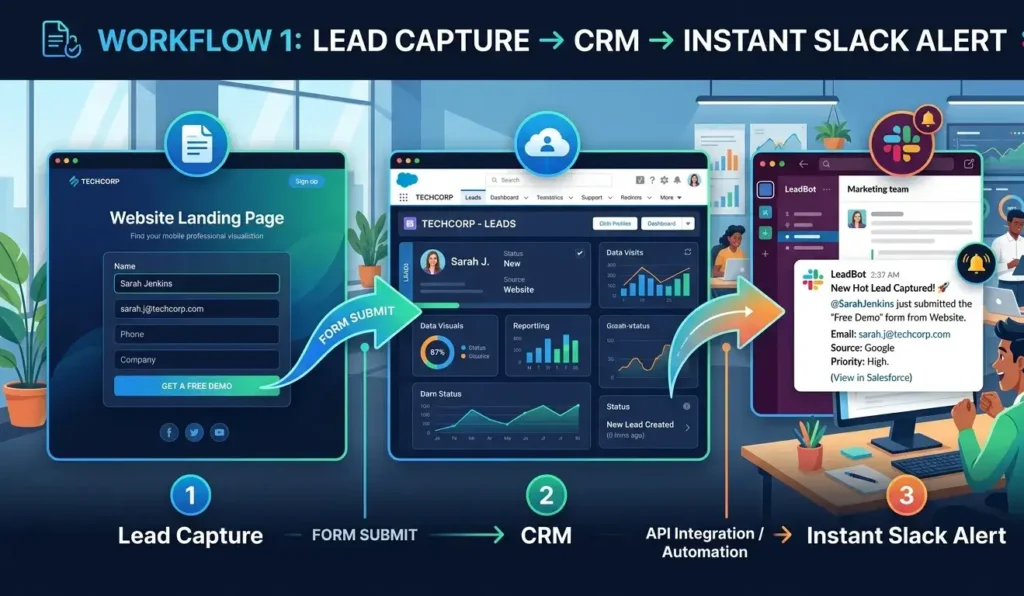
This workflow begins with a webhook trigger that fires immediately after form submission.
The automation flow looks like this:
Form Submission → Webhook Trigger → Data Formatting → CRM Insert → Lead Scoring → Slack Alert
A Set node formats incoming lead data.
A HubSpot or Pipedrive node automatically creates a new contact and deal. Then an IF node applies lead scoring automation using conditions like:
- Company size
- Budget
- Lead source
- Industry fit
Qualified leads are routed directly into Slack notifications so the right sales rep gets instant context, including:
- Lead name
- Company
- Inquiry details
- Priority score
What Changes After Deployment
Response times drop from hours to under 60 seconds.
Businesses implementing this CRM integration workflow often experience:
- 30–50% higher lead-to-meeting conversion rates
- Faster sales cycles
- Better follow-up consistency
- Cleaner sales pipelines
Optimization Tip
Always include:
- Duplicate-check logic before CRM insertion
- Error Trigger nodes connected to Slack alerts
Without duplicate prevention, CRMs quickly become messy.
Workflow 2: AI-Powered Support Ticket Triage
The Business Problem
Support teams spend hours manually sorting incoming tickets.
Every request must be categorised:
- Billing issue
- Technical problem
- Feature request
- Urgent escalation
- Refund inquiry
At scale, ticket routing alone becomes a full-time operational burden.
The n8n Setup
An email or webhook trigger captures every new support ticket.
The workflow structure looks like this:
Incoming Ticket → AI Classification → Category Routing → Jira/Linear Queue → Team Notification
An OpenAI node analyses ticket content using prompts such as:
“Read the customer message. Return a JSON object containing category, confidence, and summary.”
The AI classifies requests based on urgency and intent.
An IF node then routes tickets automatically:
- Technical issues → Engineering queue
- Billing requests → Finance team
- Feature requests → Product team
- Low-confidence results → Manual review queue
Slack notifications alert the assigned team immediately.
What Changes After Deployment
Businesses commonly achieve:
- 70%+ automatic routing accuracy
- First-response times reduced from 4 hours to 20 minutes
- Faster escalation handling
- Reduced support bottlenecks
This is one of the most effective n8n use cases for companies scaling customer operations.
Optimization Tip
Never deploy AI routing without confidence thresholds. Low-confidence tickets should always be sent for human review.
Also:
- Log AI classification decisions
- Monitor misclassifications
- Continuously improve prompts over time
Workflow 3: Invoice Processing with OCR + Approval Routing
The Business Problem
Finance teams lose hours every week manually processing invoices.
Tasks usually include:
- Extracting invoice details
- Matching purchase orders
- Chasing approvals
- Entering accounting data
- Preventing duplicate payments
Manual finance operations create delays and expensive errors.
The n8n Setup
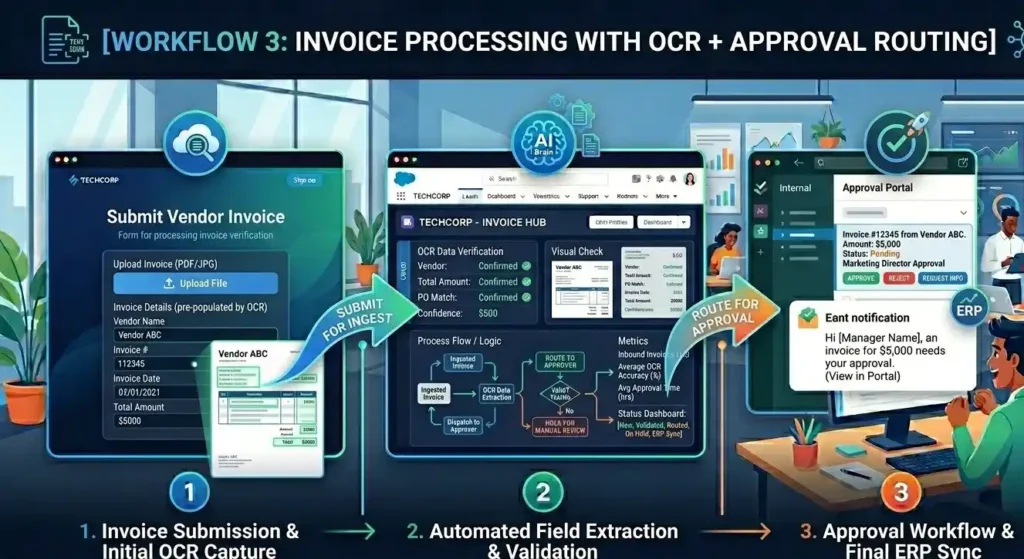
This workflow activates whenever invoice attachments arrive via email.
The automation flow:
Invoice Email → OCR Parsing → AI Data Extraction → Approval Logic → Accounting Sync
An Extract from File node handles OCR and PDF parsing.
An OpenAI node extracts:
- Vendor name
- Due date
- Invoice amount
- Line items
The extracted data is then logged into:
- Google Sheets
- Airtable
- Internal databases
Approval routing works automatically:
- Invoices above $5K → Manager approval via Slack
- Invoices below $5K → Auto-approved into Xero or QuickBooks
What Changes After Deployment
Businesses reduce invoice-processing time from:
- 8–12 hours weekly
to - Under 2 hours
Additional improvements include:
- Reduced approval delays
- Lower duplicate-payment risk
- Better accounting visibility
- Faster financial operations
Optimization Tip
OCR is never perfectly accurate.
Always add validation logic that compares:
- Extracted invoice totals
with - Sum of line items
If values mismatch, route the invoice for manual review. Also, enable retry logic for accounting APIs since timeout failures are common.
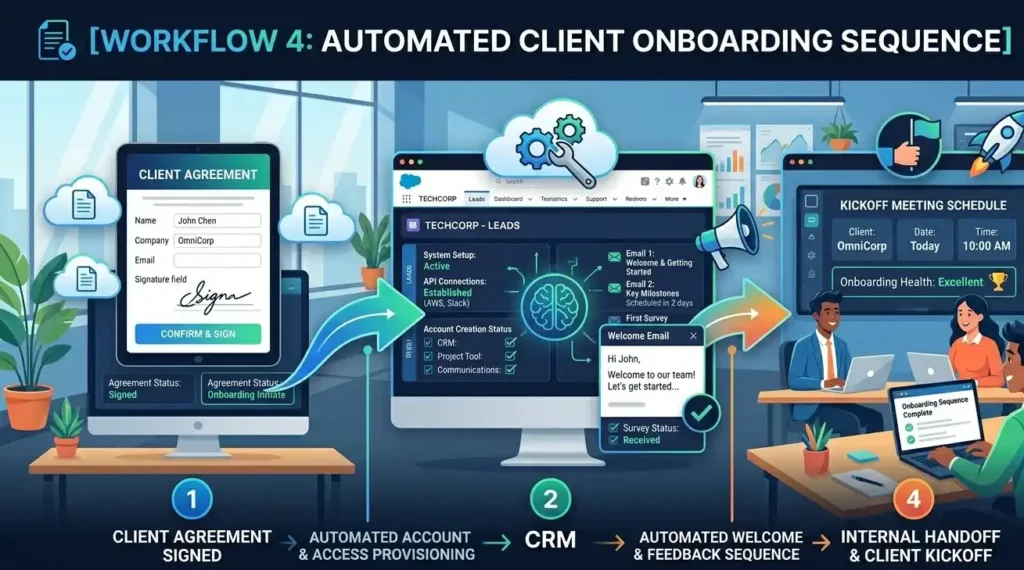
Workflow 4: Automated Client Onboarding Sequence
The Business Problem
Client onboarding often involves repetitive operational work:
- Creating folders
- Sending welcome emails
- Setting up Slack channels
- Assigning tasks
- Scheduling kickoff meetings
Miss one step, and the client experience immediately suffers.
The n8n Setup
A CRM trigger activates when a deal status changes to “Won.”
The workflow structure:
CRM Trigger → Folder Creation → Welcome Email → Slack Channel → PM Tool Setup → Kickoff Scheduling
The workflow automatically:
- Creates Google Drive folders from templates
- Sends onboarding emails
- Creates Slack channels
- Generates Asana or Jira projects
- Assigns onboarding tasks
- Schedules kickoff calls through Google Calendar
Everything runs automatically within seconds.
What Changes After Deployment
Onboarding time drops from:
- 3–4 hours of manual coordination
to - Under 5 minutes
Additional benefits include:
- Zero missed onboarding steps
- Better client experience
- Faster project activation
- Improved operational consistency
Optimization Tip
Add a delayed follow-up step:
Wait 24 hours → Send “Did you receive everything?” email
This helps identify:
- Bounced emails
- Missing files
- Client confusion early in the process
Small automation details significantly improve the onboarding experience.
Workflow 5: Weekly KPI Dashboard via AI Summary
The Business Problem
Every Monday, someone manually pulls numbers from:
- Google Analytics
- Stripe
- CRM systems
- Project management tools
Then they build reports nobody fully reads. The process consumes hours every week.
The n8n Setup
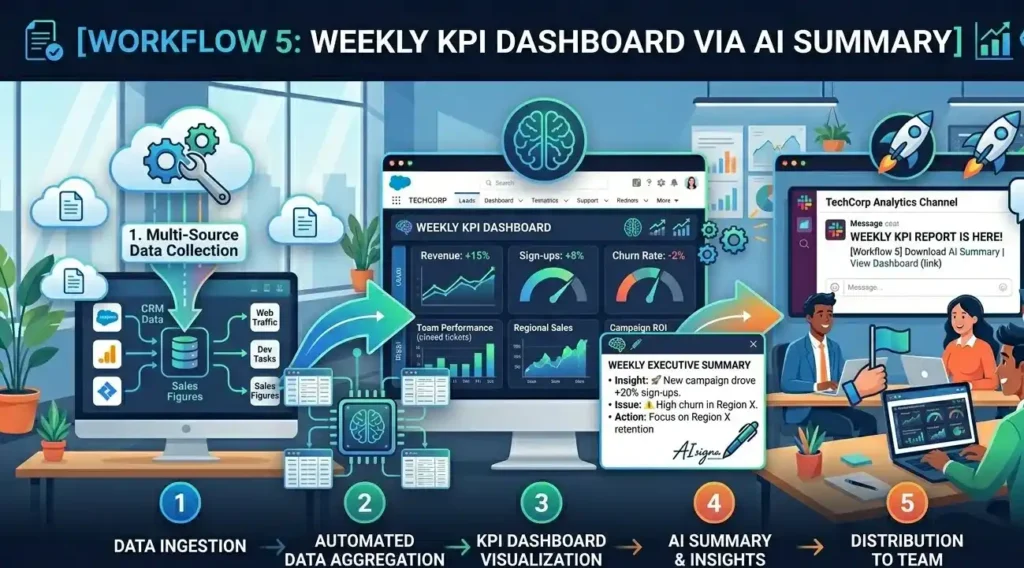
A scheduled workflow automatically generates executive summaries every Monday morning.
The automation flow:
Scheduled Trigger → API Data Pull → Data Merge → AI Summary → Slack/Email Delivery
HTTP Request nodes pull metrics from different platforms.
A Merge node combines the data.
Then an OpenAI node generates concise summaries using prompts like:
“Highlight the biggest positive change, the biggest risk, and one recommended action. No fluff.”
Reports are delivered automatically through:
- Gmail
- Slack
- Internal dashboards
What Changes After Deployment
Businesses eliminate:
- 2–3 hours of weekly reporting work
- Manual spreadsheet consolidation
- Inconsistent reporting formats
Leadership teams receive:
- Faster insights
- Concise summaries
- Better operational visibility
- More actionable reporting
This is one of the most scalable n8n use cases because once the data pipeline is in place, adding new metrics takes only minutes.
Optimization Tip
Always cache API responses so one failed request does not break the entire report workflow. It’s also important to add fallback logic so that if the AI summary fails, the system still sends the raw data rather than nothing.
Final Thoughts:
The real power of n8n is not just automating individual tasks; it’s building connected systems that keep your business moving faster, smarter, and with fewer operational bottlenecks. From lead management and customer support to finance, onboarding, and reporting, these n8n use cases show how automation can transform scattered manual processes into scalable operational systems. Businesses investing in ROI-driven n8n services are not only saving time but also creating more efficient workflows, faster response systems, and stronger foundations for long-term growth.