
AI is no longer limited to simple chatbots or one-step automations. Modern businesses are now building AI orchestrators. These intelligent systems can handle multi-step workflows, understand context, retrieve internal knowledge, and automatically coordinate actions across different tools.
With Zapier Central, businesses can deploy intelligent AI agents that manage repetitive Slack requests, route issues to the right teams, retrieve relevant documentation, and automate multi-step operational workflows in real time.
Instead of manually handling repetitive Slack questions, routing requests to teams, or searching through documentation, businesses can now deploy AI agents that:
- Understand incoming requests.
- Search internal company knowledge.
- Trigger workflows automatically.
- Respond inside Slack in real time.
- Escalate issues when necessary.
- Learn from business data and processes.
The result is faster operations, reduced support overhead, and significantly improved response times.
What Is Zapier Central?
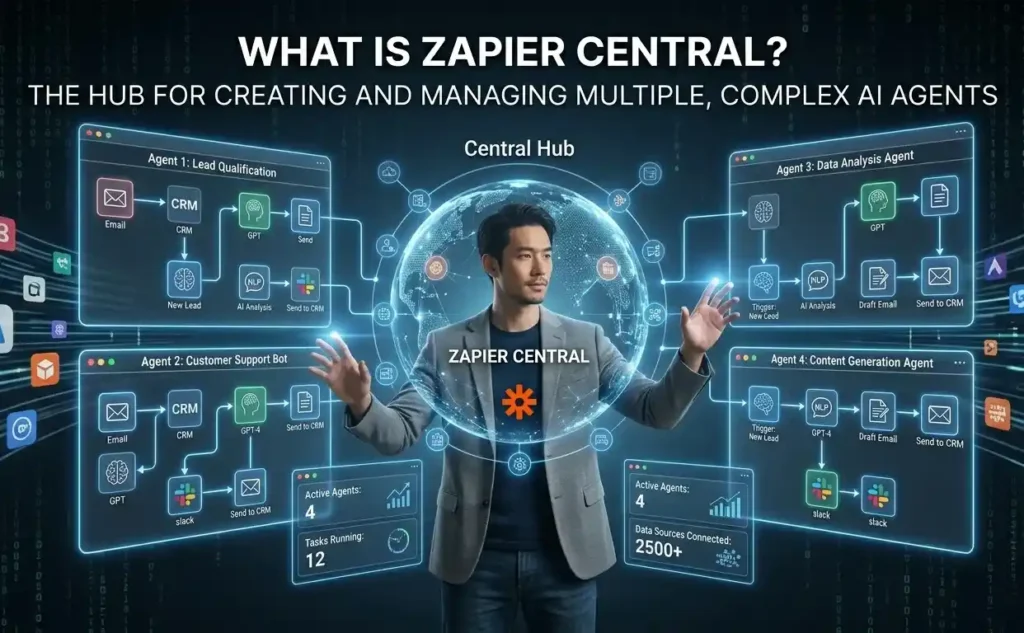
Zapier Central is an AI workspace and orchestration platform developed by Zapier that allows businesses to create AI agents capable of performing complex multi-step tasks across apps and workflows.
Unlike traditional automation, where every rule must be manually defined, Zapier Central introduces AI-native workflows powered by natural language understanding.
You can build agents that:
- Answer operational questions.
- Handle customer support requests.
- Coordinate tasks between departments.
- Retrieve information from internal systems.
- Trigger automations dynamically.
- Operate across Slack, CRM systems, databases, helpdesks, and more.
Instead of building isolated automations, businesses can now create centralized AI operators.
Why Multi-Step AI Agents Matter?
Most businesses already use automation tools. But many workflows still break because they require:
- Human judgment.
- Context understanding.
- Cross-platform coordination.
- Access to internal company knowledge.

For example, a customer request in Slack may require:
- Understanding the issue.
- Searching internal documentation.
- Checking CRM data.
- Creating a ticket.
- Notifying the right department.
- Responding back to the customer.
Traditional automation struggles with these branching workflows. However, AI agents solve this problem by acting as orchestrators rather than simple rule-based automations.
How does Zapier Central work?
Zapier Central combines:
- AI reasoning.
- Workflow automation.
- App integrations.
- Internal knowledge retrieval.
- Multi-step task execution.
The platform integrates with thousands of applications via Zapier, allowing agents to automate actions across your tech stack.
A typical workflow looks like this:
Step 1: Customer Sends a Slack Request
A user asks a question inside Slack, such as:
“Can someone check why our invoice integration failed?”
Step 2: AI Agent Interprets the Request
The agent identifies:
- The intent.
- The urgency.
- The department is involved.
- Required next actions.
Step 3: Internal Data Is Retrieved
The AI agent searches:
- Company SOPs.
- Internal documentation.
- CRM records.
- Knowledge bases.
- Previous tickets.
- Database records.
Step 4: Automation Workflows Trigger
Using Zapier integrations, the agent can:
- Create tickets.
- Send alerts.
- Update CRM records.
- Notify teams.
- Generate summaries.
- Assign ownership automatically.
Step 5: AI Responds Back in Slack
The customer or team member receives an instant response with:
- Status updates.
- Troubleshooting steps.
- Escalation details.
- Relevant documentation.
- Resolution timelines.
This entire process can happen in seconds.
Training an AI Agent on Your Own Data
One of the biggest advantages of Zapier Central is the ability to train AI agents using company-specific knowledge. This allows the AI to provide highly contextual and accurate responses.
Types of Data You Can Use
Businesses commonly train agents using:
- Internal documentation.
- SOPs.
- Help center articles.
- CRM data.
- Product documentation.
- FAQ databases.
- Support tickets.
- Google Docs.
- Notion workspaces.
- Knowledge bases.
For example, a SaaS company can train an AI agent using:
- API troubleshooting guides.
- Billing procedures.
- Customer onboarding documents.
- Escalation policies.
The AI then uses this information to intelligently answer Slack requests.
Building the Workflow
1. Connect Slack to Zapier Central
Integrate Slack with Zapier Central so the AI can monitor designated channels.
The agent listens for:
- Mentions.
- Support requests.
- Keywords.
- Specific customer issues.
2. Upload Internal Knowledge
Connect data sources such as:
- Google Drive.
- Notion.
- Internal wikis.
- CRM systems.
- Documentation repositories.
This becomes the AI agent’s knowledge layer.
3. Define AI Instructions
You can configure the agent with operational instructions like:
- Prioritize urgent requests.
- Escalate payment failures immediately.
- Create tickets for unresolved issues.
- Route API problems to engineering.
- Answer onboarding questions automatically.
This creates controlled AI behavior instead of random chatbot responses.
4. Add Multi-Step Actions
Using Zapier workflows, the agent can:
- Create tasks in project management tools.
- Update customer records.
- Notify departments.
- Send follow-up emails.
- Generate incident reports.
- Trigger escalation workflows.
5. Deploy Inside Slack
Once deployed, the AI agent operates directly within Slack conversations, allowing employees to receive instant answers, automate requests, and access internal knowledge without manually searching through documentation. By retrieving relevant data, triggering workflows, and coordinating tasks across systems, the agent becomes a centralized operational assistant that improves response speed and streamlines daily business operations.
Benefits of AI Orchestration with Zapier Central
1: Faster Response Times
AI agents can reduce response times from hours to seconds by instantly retrieving knowledge and executing workflows.
2: Reduced Operational Overhead
Teams spend less time answering repetitive requests and manually coordinating tasks.
3: Better Knowledge Accessibility
Internal documentation becomes searchable and actionable through AI conversations.
4: Scalable Support Operations
As businesses grow, AI agents can handle increasing workflow complexity without requiring proportional staffing increases.
5: Cross-Department Automation
AI agents can coordinate between:
- Sales.
- Customer support.
- Engineering.
- Operations.
- Finance.
This eliminates operational silos.
Best Practices for Building AI Agents
1: Keep Knowledge Sources Organized
Poor documentation leads to poor AI responses. Maintain updated SOPs and structured internal knowledge.
2: Define Clear Escalation Rules
AI should know when to:
- Escalate to humans.
- Trigger alerts.
- Stop automation.
- Request clarification.
3: Start With Narrow Workflows
Begin with focused use cases such as:
- Internal IT support.
- Billing assistance.
- Customer onboarding.
- FAQ automation.
Then expand gradually.
4: Monitor AI Responses
Review logs and conversations regularly to improve accuracy and identify workflow gaps.
Zapier Central vs Traditional Chatbots
| Feature | Traditional Chatbots | Zapier Central |
| Response Handling | Follow rigid scripted responses | Understand context and respond dynamically |
| Workflow Execution | Limited to simple conversations | Handle multi-step workflows automatically |
| Flexibility | Fail outside predefined paths | Adapt to changing operational scenarios |
| Business Knowledge | Limited understanding of company data | Access SOPs, CRM records, docs, and internal knowledge |
| System Integration | Basic or isolated integrations | Coordinate across multiple apps and systems |
| Operational Capability | Passive assistance tool | Trigger real business actions and automations |
The Future of AI Operations

Businesses are moving toward AI-native operations where intelligent agents handle a growing percentage of repetitive coordination work.
Instead of employees switching between tools manually, AI orchestrators can:
- Understand requests.
- Gather context.
- Trigger workflows.
- Deliver outcomes automatically.
Platforms like Zapier Central are making this transition accessible without requiring large engineering teams.
Final Thoughts
The future of automation is no longer about isolated workflows or basic task automation; it is about intelligent AI orchestration. By combining AI reasoning with workflow automation, businesses can create systems that seamlessly manage operations across departments, applications, and customer interactions in real time.
With Zapier Central, companies can train AI agents using internal business knowledge, automate Slack-based support workflows, streamline operations, and reduce manual bottlenecks at scale. Organizations that adopt multi-step AI agents early will gain a major competitive advantage through faster response times, improved operational efficiency, and more scalable customer support.
At Techelix, we build custom Zapier AI solutions tailored to your workflows, helping businesses automate smarter and drive real impact.