
The problem isn’t AI. And it’s not a legacy system either. The real issue is the disconnect between them, because if it’s not broken, why fix it?
According to the report by the AI and cyber research department, nearly 90% of companies still rely on outdated systems to perform routine tasks. Finance, customer service, operations, and supply chains are still supported by mainframes, desktop applications, and legacy ERPs. At the same time, businesses are moving toward automation, AI, and digital transformation.
But adding modern tools to old infrastructure doesn’t automatically create efficiency. because, by itself, AI is unable to provide business value. The majority of organizational workflows involve several teams, apps, and systems. However, if AI cannot understand how those systems connect and interact, its decisions remain limited.
That’s where orchestration becomes important, and where RPA legacy system integration plays a key role. Businesses need a way to connect modern AI tools with the legacy systems they still rely on every day. RPA bridges that gap by connecting systems and automating workflows.
Why Businesses Still Rely on Legacy Systems?
Consider your very first cell phone. Although it was effective at the time, you could make calls, send messages, and more. But now it is unable to keep up with modern apps, security, or connectivity.
The same applies to legacy systems.

A legacy system is outdated technology, software, or infrastructure that companies use for basic purposes. These systems are still used by many businesses because they retain crucial data, facilitate important workflows, and maintain day-to-day operations. Manufacturing, banking, healthcare, and logistics are just a few of the sectors that still rely on mainframes, desktop software, and outdated ERPs.
The problem is that these systems were not designed to meet the demands of contemporary businesses.
They are challenging to maintain and integrate with contemporary tools, and they often result in bottlenecks like:
- Manual data entry
- Slow processing
- High maintenance costs
- Restricted scalability
RPA as the “Digital Glue” for Enterprise Systems
Modern businesses depend on a combination of legacy systems, cloud platforms, AI tools, APIs, and human-driven processes. The problem is that most of these systems were never built to communicate smoothly with one another. To solve this issue, RPA acts as the “digital glue.”
By enabling bots to interact with applications the same way employees do, it improves the integration of different technologies. Even in environments without APIs, bots can automate repetitive tasks, start workflows, extract data, and transfer information between systems.
When to Use RPA and When to Build an API
Choosing between RPA and API integration comes down to your business needs and the systems you use.
RPA is usually a better choice if your legacy systems don’t have APIs, or if building custom integrations would cost too much or take too long. It’s also helpful when you need a quick solution or plan to replace older systems soon.
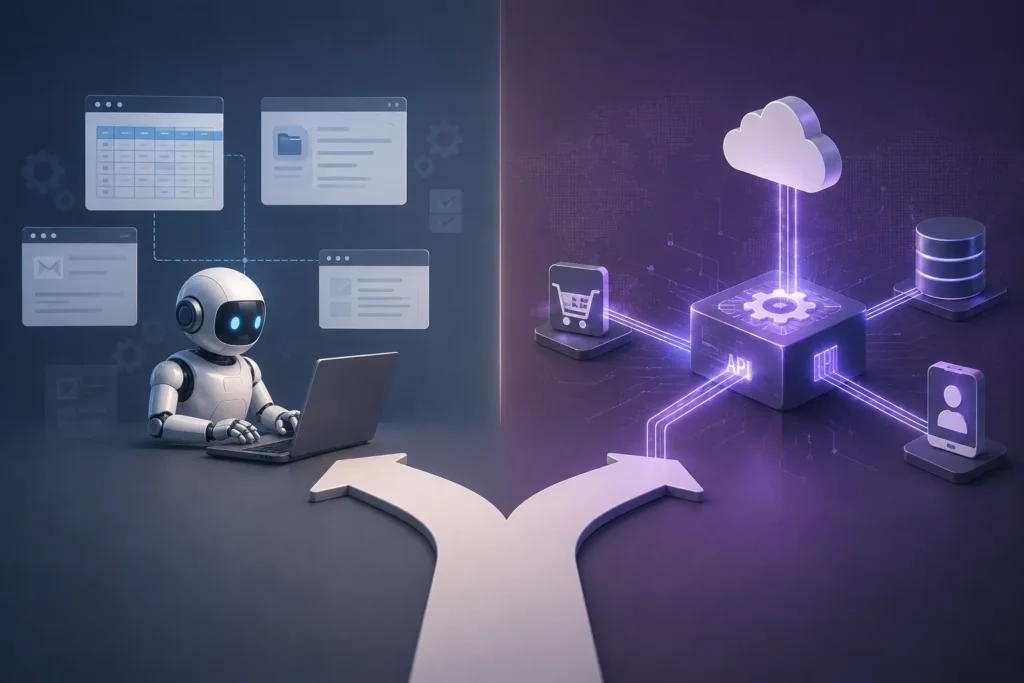
API-based integration is better when you need long-term connections, real-time data sharing, or to handle lots of transactions. If your modern systems already have APIs, they usually enable faster, more reliable integration.
In reality, most enterprises use both. APIs are best for connecting modern systems when speed and scalability are important. RPA helps where APIs aren’t available or are hard to create. Using both lets businesses link old and new technologies without having to rebuild everything.
How RPA Connects Old & New Systems
Here’s how RPA connects old and new systems;
1: Data Synchronization Between Systems
One of the most common RPA use cases is data synchronization. Bots automatically transfer data between legacy and modern systems to keep information up to date across platforms.
This is commonly used for:
- Payroll records
- Customer data
- Inventory updates
- Financial transactions
This eliminates manual data entry and reduces errors across systems.
2: Report Extraction & Data Transformation
Legacy systems often generate reports in outdated formats that modern analytics tools cannot process directly.
RPA bots can:
- Extract report data
- Reformat information
- Upload it into dashboards or BI tools.
- Share insights across teams.
This allows businesses to continue using legacy systems while making their data accessible for modern analytics.
3: Transaction Processing Automation
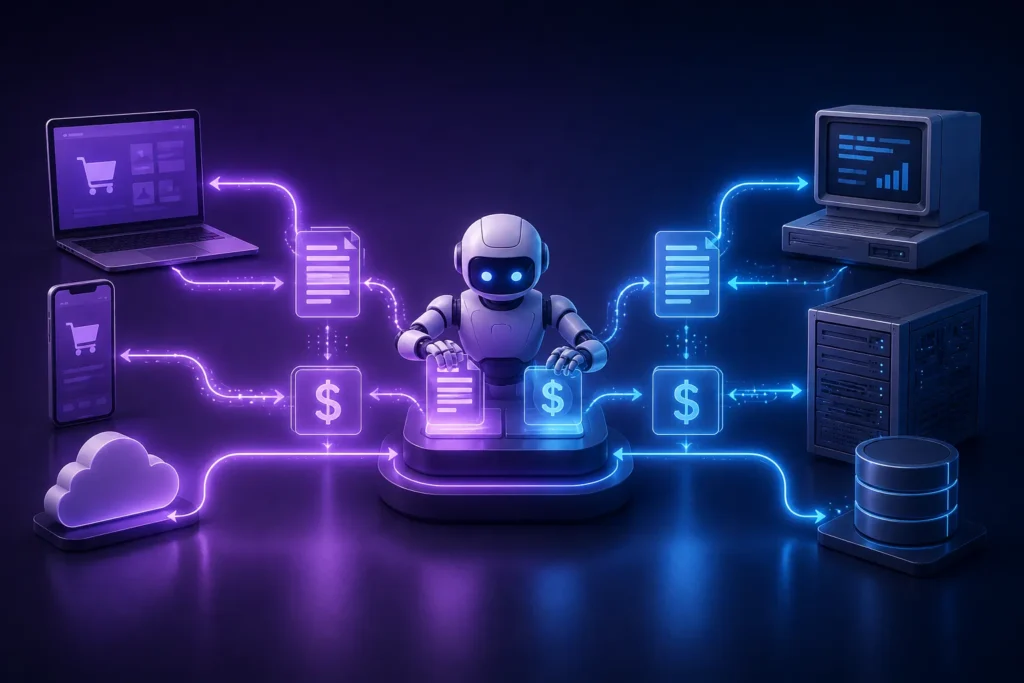
RPA helps automate transactions between disconnected systems.
For example:
- Orders from modern web portals can be entered into legacy ERP systems.
- Payments recorded in legacy accounting software can be synced with modern financial platforms.
This keeps workflows moving smoothly without requiring a full system replacement.
4: Surface Automation for Legacy Applications
Many legacy applications lack APIs or integration capabilities.
Using Surface Automation, bots can intera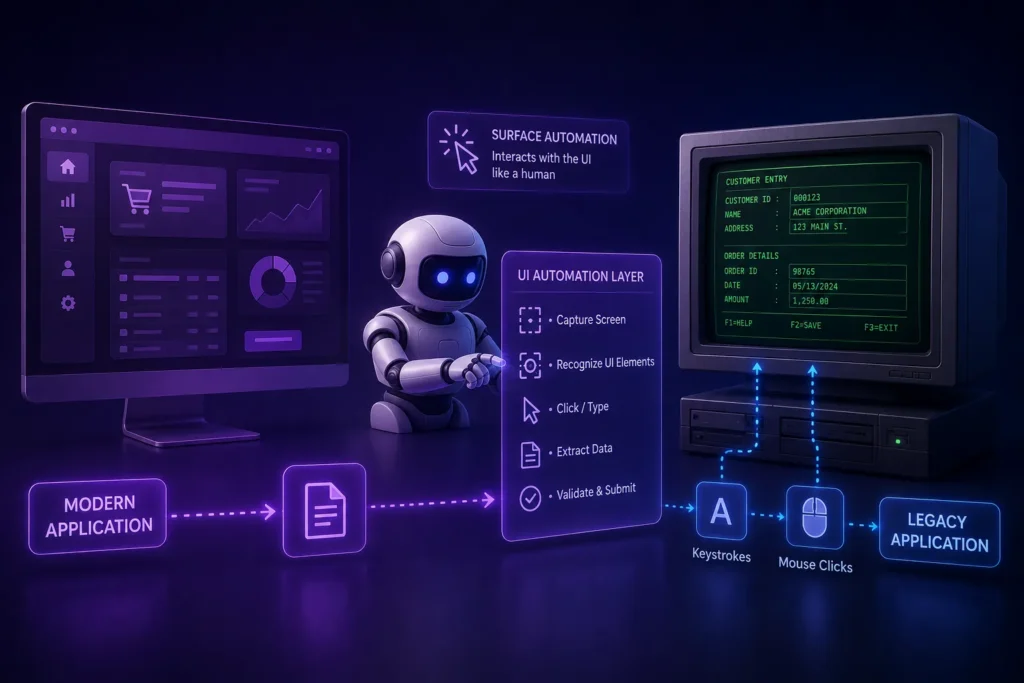 ct directly with:
- Buttons
- Menus
- Screens
- Input fields
Bots can:
- Enter data
- Extract information
- Trigger workflows
- Move files between systems.
- Update records automatically
This removes the need for expensive redevelopment projects.
5: Computer Vision (OCR) & Intelligent Document Processing
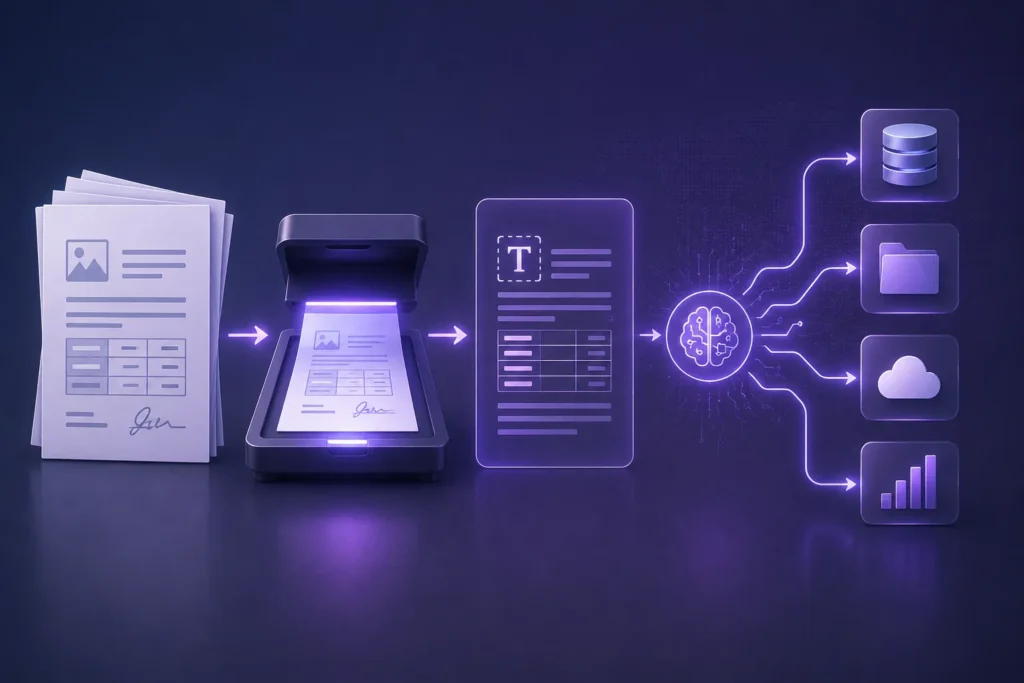 Legacy environments often depend on scanned documents, PDFs, invoices, or handwritten forms.
Using Computer Vision (OCR) and Intelligent Document Processing (IDP), bots can:
- Read invoices
- Extract customer information
- Process forms
- Validate records
- Route approvals automatically
This reduces processing time and improves operational accuracy.
6: Bot Orchestration for Enterprise Control
Modern RPA platforms provide centralized Bot Orchestration capabilities for managing automation at scale.
Organizations can:
- Monitor bot performance
- Schedule digital workers
- Track automation success rates
- Detect workflow failures
- Manage workloads in real time.
This transforms isolated automations into enterprise-wide digital operations.
7: Unattended vs. Attended Bots
A strong automation strategy combines both unattended and attended bots.
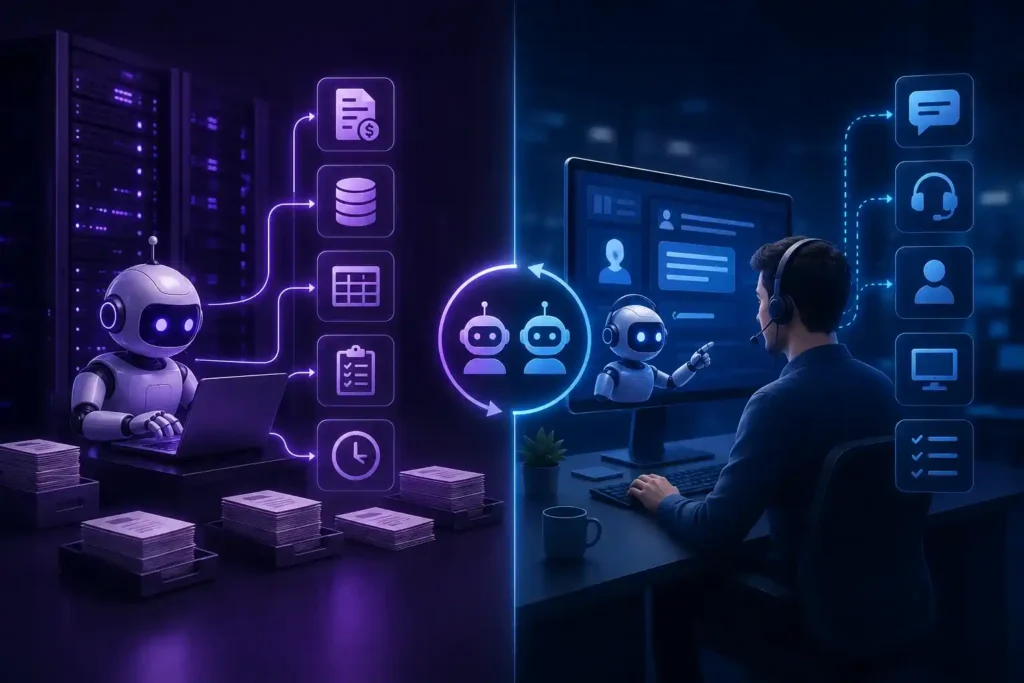
Unattended Bots
These bots work independently in the background without human involvement.
Best for:
- Invoice processing
- Data migration
- Batch processing
- Reconciliation
- Night-time operations
Attended Bots
These bots assist employees in real time.
Best for:
- Customer service
- Call centers
- Employee onboarding
- Desktop assistance
- Guided workflows
8: Process Mining: Finding Hidden Automation Opportunities
Many enterprises don’t fully understand how inefficient their processes have become over time.
Process Mining tools analyze workflows across systems to identify:
- Repetitive tasks
- Bottlenecks
- Delays
- Compliance gaps
- Automation opportunities
This helps organizations prioritize high-impact automation projects before investing in modernization efforts.
RPA Legacy Integration Challenges
While RPA helps businesses modernize operations without replacing legacy systems, scaling automation across enterprise environments still comes with challenges. Some of the common challenges are as follows;
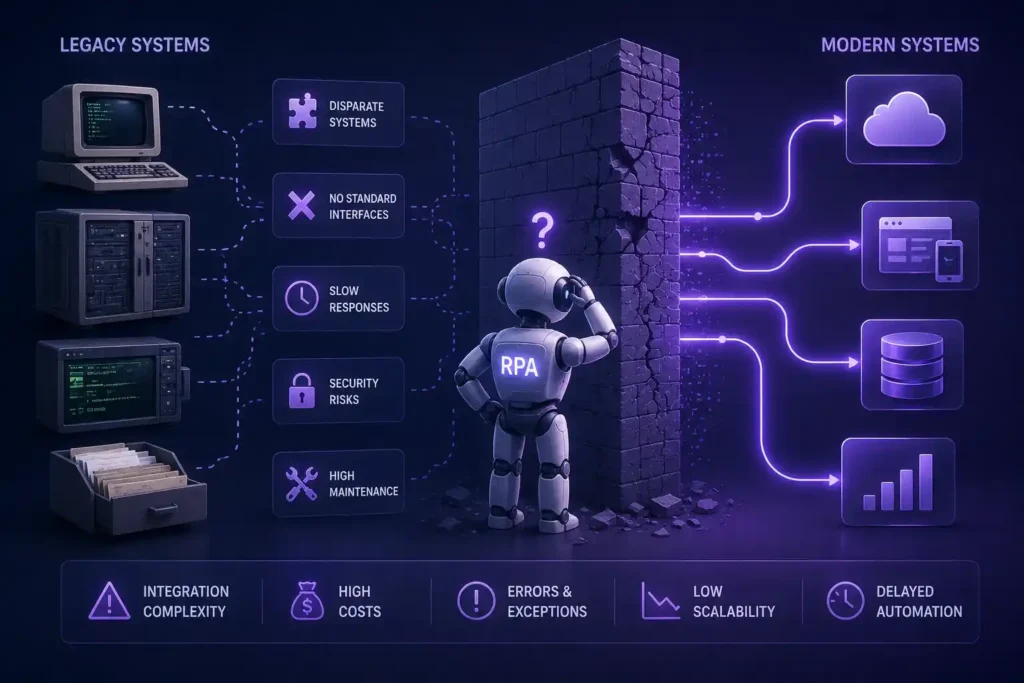
1: Integration Complexity
Many legacy systems were never built to work with modern platforms. Outdated architectures, disconnected applications, and missing APIs can make integrations slow and complicated.
Starting with smaller automation projects often helps businesses build integration capabilities gradually.
2: Security & Governance Risks
As more bots are deployed, maintaining security and control becomes essential. Without proper governance, businesses may face compliance issues, security gaps, or unauthorized access.
Centralized monitoring, role-based access, and regular audits help keep enterprise automation secure and manageable.
3: User Adoption & Process Changes
Automation changes how teams work, and employees may resist new workflows if changes are not communicated clearly.
Providing training, involving employees early, and showing how automation reduces repetitive work can improve adoption and help teams work more effectively alongside digital workers.
Final Thoughts
Legacy systems are not disappearing overnight. But they no longer need to slow down innovation.
A good RPA strategy lets companies link old and new technologies without costly overhauls. Tools like Surface Automation, OCR, Bot Orchestration, and Process Mining help modernize operations while keeping current systems in place.
The future of enterprise automation is not about replacing every system. It is about connecting them in smart ways.