

The Performance Paradox: Why n8n Crashes at Scale
Most n8n users start with a simple Docker Compose file and a dream. It works perfectly for the first 500 executions, but the moment you hit a high-velocity event—like a viral marketing campaign or a massive database migration—the “Out of Memory” (OOM) errors start piling up. This is the Performance Paradox: n8n is incredibly easy to start, but its default configuration is a “Single-Process” bottleneck that cannot handle the asynchronous demands of an enterprise-grade digital nervous system.
The root cause usually lies in how Node.js manages the event loop. When n8n attempts to process 10,000 JSON objects or a 500MB video file in a single execution thread, the RAM spikes, the garbage collector struggles to keep up, and the entire Docker container restarts. To scale in 2026, you have to stop treating n8n as a “No-Code tool” and start treating it as a Distributed System. This means moving away from the “Standard” setup and architecting a cluster that separates the Decision Maker (the Main Node) from the Heavy Lifters (the Worker Nodes).
Scaling Infrastructure: From Single Instance to Queue Mode
The first step in any technical n8n audit is assessing your execution mode. If you are running in “Regular” mode, every webhook, every cron job, and every manual execution is competing for the same slice of CPU and RAM. In 2026, “Queue Mode” is the only path forward for power users. By introducing Redis and Bull into your stack, you transform n8n from a single engine into a factory assembly line.
In a Queue Mode architecture, your Main Node becomes the “Orchestrator,” purely focused on receiving webhooks and managing the UI. It offloads the actual heavy lifting to a fleet of Worker Nodes. This separation is critical for two reasons: Stability and Throughput. If one worker node crashes due to a massive data transformation, the others continue to process the queue, and Redis ensures that no data is lost in the transition. This is the foundation of a bulletproof architecture that allows a software house to process millions of executions a month without ever seeing a “Container Restarted” notification.
Docker Optimization: Tuning the Engine Room
In 2026, simply pulling the n8nio/n8n image isn’t enough for enterprise-grade stability. To prevent your containers from crashing during a high-velocity data burst, you must explicitly define how n8n interacts with your server’s hardware.
Memory Limits and the “OOM Killer”
The most common cause of n8n failure is the Out of Memory (OOM) error. By default, Node.js doesn’t always “see” the limits you set in your Docker Compose file. To fix this, a technical n8n audit should always include the NODE_OPTIONS environment variable. By setting --max-old-space-size, you tell n8n exactly when to start aggressive garbage collection before the Docker daemon kills the process.
The Database Shift: Moving to PostgreSQL
If you are still using the default SQLite database for more than 5,000 executions a day, you are building on sand. SQLite locks the entire database file during a write operation, which creates a massive bottleneck in Queue Mode. For any power user setup, migrating to PostgreSQL is non-negotiable. It allows for concurrent writes, robust indexing of execution history, and significantly faster retrieval times when your n8n dashboard starts lagging.
Log Rotation and Persistence
A silent killer of n8n instances is “Disk Full” errors caused by unpruned execution logs. In your Docker configuration, you must implement strict Pruning Rules. We recommend keeping only “Error” executions for 14 days and “Success” executions for only 48 hours to keep your database lean and your IOPS (Input/Output Operations Per Second) high.
Binary Data Management: Handling the Heavy Lifting
Binary data (Images, PDFs, Video) is the “Lead Weight” of automation. If you handle it incorrectly, a single 100MB file can consume 1GB of RAM as it moves through your workflow nodes.
The In-Memory Danger Zone
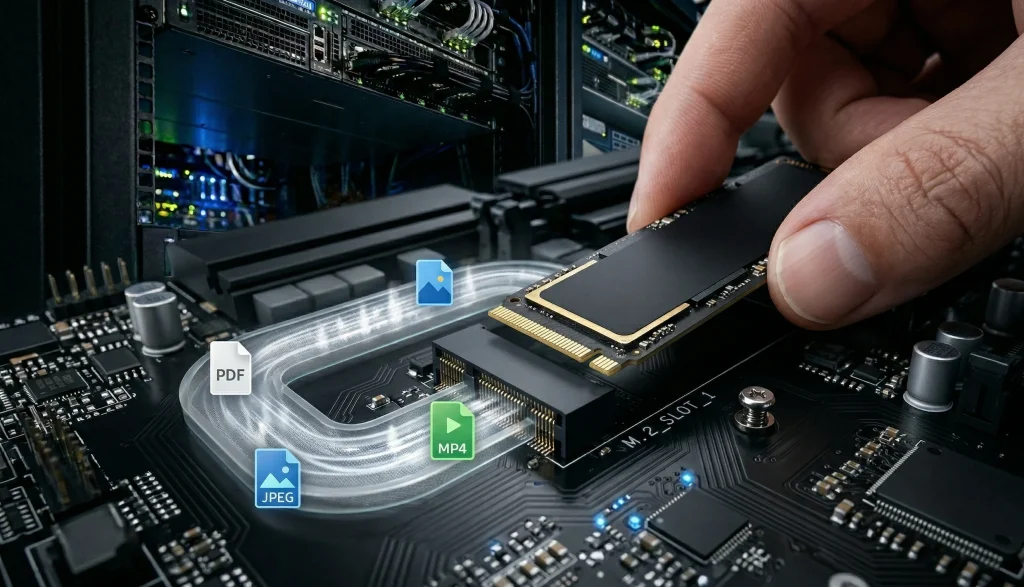
By default, n8n tries to hold binary data in the Node.js memory heap. For a power user processing high-resolution assets, this is a recipe for a crash. In 2026, the best practice is to configure n8n to use Disk-Based Binary Handling. This tells n8n to write the file to a temporary directory on the server’s NVMe drive and only pass a reference (a pointer) to the next node.
External Storage Integration
For truly massive scale—such as a software house processing 100,000 AI-generated images a day—you should offload binary storage entirely. Instead of keeping files in the Docker volume, use the S3 Node or a local SMB/NFS share. This keeps your n8n container lightweight and prevents “Disk Fragmentation” from slowing down your primary execution database.
The Performance Configuration Checklist (Technical Audit)
| Parameter | Default (Risk) | Power User (Optimized) | Business Impact |
| Database | SQLite | PostgreSQL | Prevents DB locking at scale |
| Memory Limit | Unset | --max-old-space-size=4096 | Stops random container restarts |
| Binary Mode | Memory | File System / Disk | Processes large files safely |
| Execution Mode | Regular | Queue Mode (Redis) | Distributes load across workers |
| Log Pruning | Disabled | Keep 48h (Success only) | Maintains high disk I/O speed |
Workflow Auditing: The Techelix Performance Framework
Even the most powerful server will fail if the workflow logic is “heavy.” During a technical n8n audit, we look for “Node Spaghetti” that creates memory spikes.
The “Large Merge” Danger: Using a Merge node on two datasets of 10,000+ items each can freeze the Node.js event loop. We recommend the “Split and Concur” strategy: breaking massive datasets into batches of 500 using the Split In Batches node.
The “Wait” Node Trap: In Regular Mode, a “Wait” node keeps the entire execution active in the RAM. In a power user setup, we use External Triggers or Sub-workflows to “pause” logic without consuming server resources.
Linear Regression for Forecasting: We implement Linear Regression nodes to monitor your execution growth. If your task usage is growing at 20% month-over-month, the system alerts us before you hit your server’s CPU ceiling.
Real-Time Monitoring: Observability for Architects
You cannot optimize what you do not measure. For a software house, “Monitoring” means more than just checking if the container is “Up.”
Prometheus & Grafana: We expose n8n’s internal metrics to a Prometheus scraper. This allows us to build Grafana Dashboards that track:
Worker Saturation: Are your workers hitting 90% CPU?
Redis Queue Depth: Is there a backup of 1,000+ tasks waiting to be processed?
Database Latency: Is PostgreSQL slowing down your execution writes?
Critical Alerting: We configure Alertmanager to ping your DevOps team on Slack the moment a worker node enters a “Crash Loop” or when the available disk space drops below 10%.
Summary: Building a Bulletproof Architecture
In 2026, Performance is a Feature, not an afterthought. A crashing workflow isn’t just a technical glitch; it’s a loss of data, a loss of customer trust, and a loss of revenue.
By implementing Queue Mode, optimizing your Docker memory limits, and mastering Binary Data handling, you transform n8n from a simple automation tool into a high-performance engine capable of powering a global enterprise. At Techelix, we don’t just “build Zaps”—we architect the resilient, scalable, and observable digital foundations that modern software houses demand.
Ready to bulletproof your infrastructure?
Explore our Enterprise Scaling Roadmaps. Let’s audit your engine room and build for the next 1,000,000 executions.
Build custom AI solutions that deliver real business value
From strategy to deployment, we help you design, develop, and scale AI-powered software that solves complex problems and drives measurable outcomes.