
Workflow Automation vs RPA: Choosing the Right Engine for Your Business Efficiency

By Techelix editorial team

A global group of technologists, strategists, and creatives bringing the latest insights in AI, technology, healthcare, fintech, and more to shape the future of industries.

Contents

The Productivity Paradox: Why “Busy” Isn’t “Productive”

A split-screen comparison of a worker struggling with manual tasks at a cluttered desk versus a streamlined digital workspace powered by Workflow Automation and RPA.

In 2026, many businesses fall into the “Productivity Paradox”: employees are working harder than ever, yet output remains stagnant. This is often due to the “hidden tax” of manual labor—time lost to switching between tabs, copying data from one legacy system to another, and chasing email approvals.

Choosing the wrong automation tool at this stage can lead to “technical debt,” where you spend more time maintaining a fragile bot than you save in labor. The first step to true efficiency is understanding the two titans of the modern office: Workflow Automation and Robotic Process Automation (RPA). While both aim to reduce manual work, they operate at fundamentally different levels of your business architecture.


What is Workflow Automation? (The Digital Glue)


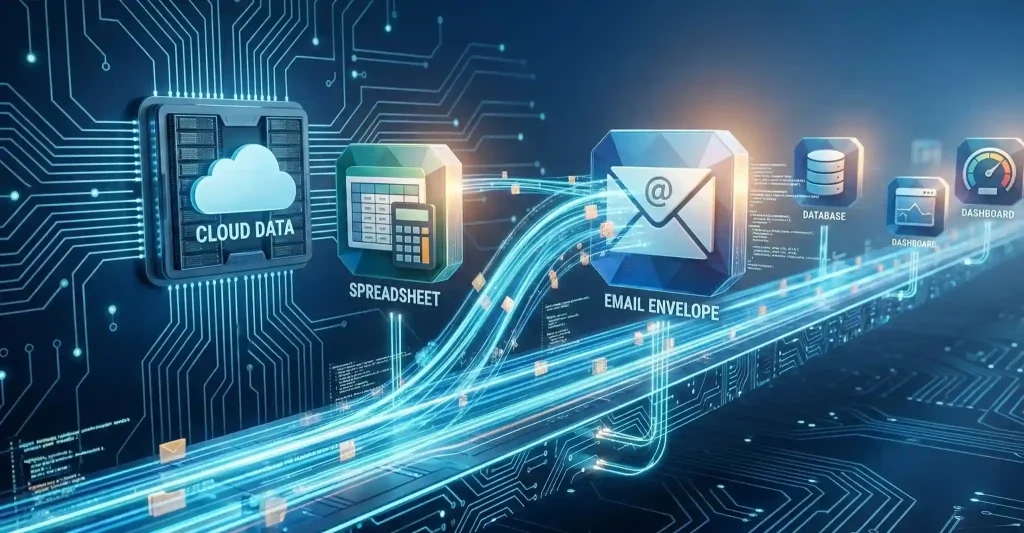
Workflow automation is the “smart traffic controller” of your business. It doesn’t just copy what a human does; it often redesigns the entire flow of how work moves between people and systems. By using API-based connectivity, tools like n8n and Zapier create seamless data bridges between modern cloud applications.

Rather than focusing on a single task, workflow automation looks at the “big picture”—orchestrating entire end-to-end processes like employee onboarding or multi-stage project approvals.

  • Orchestration: Manages the sequence of tasks across different platforms.

  • Logic-Driven: Uses “If/Then” rules to route information to the right person or tool at the right time.

  • Collaboration: Often includes human-in-the-loop steps for decisions or approvals.

Check Zapier’s Guide to Workflow Automation


What is RPA? (The Digital Twin)


If workflow automation is the “glue,” then Robotic Process Automation (RPA) is the “digital twin” of a human worker. While workflow automation talks to software through back-end APIs, RPA interacts with software through the User Interface (UI)—exactly like you do.

Think of it as a software bot that has its own keyboard and mouse. It “sees” the screen, clicks buttons, and types into fields. It is designed to handle high-volume, rule-based, and repetitive tasks that are usually a massive drain on human energy.

  • UI-Based: Works on the front-end, making it compatible with software that doesn’t have modern APIs.

  • Task-Centric: Best for specific, repetitive actions like “copying data from a legacy invoice into an old accounting program”.

  • Rule-Bound: It follows instructions perfectly but lacks the “judgment” of a human, meaning if the UI changes, the bot might get lost.


Key Differences: Under the Hood


Choosing between these two isn’t about which is “better,” but which is right for your technical environment.


FeatureWorkflow AutomationRPA
CommunicationUses APIs (Back-end)Uses the UI (Front-end)
Speed of BuildFast and modularSlower, requires UI mapping
StabilityHigh (APIs don’t change often)Medium (Breaks if the UI changes)
Best ForModern Cloud Apps

Legacy/Desktop Software


The “Legacy” Battle: When RPA is Your Only Choice


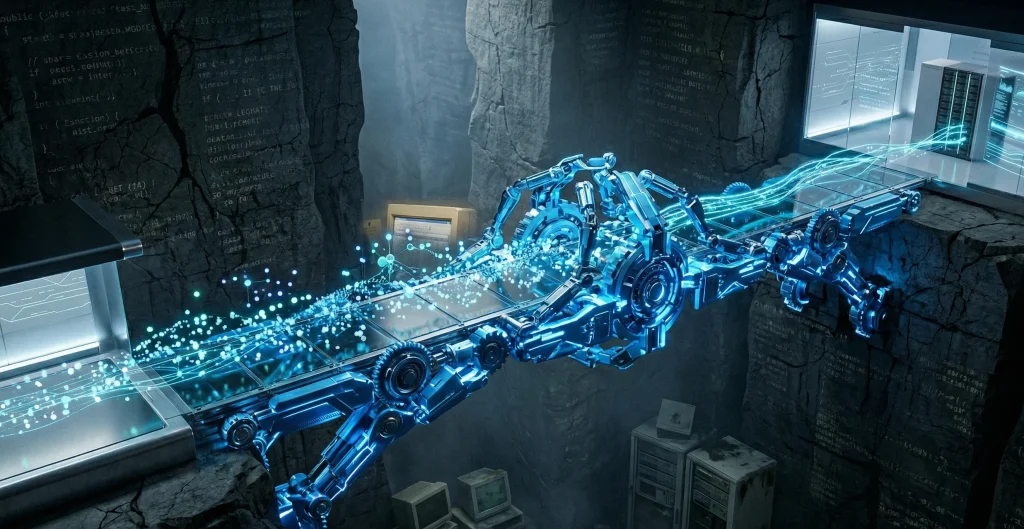
A professional 3D render of a glowing blue mechanical bridge representing RPA spanning across a dark stone canyon of legacy software to transport modern digital data.Despite the move toward cloud-first systems, many businesses still rely on “Legacy” software—old accounting tools, custom-built databases, or desktop applications that have no modern APIs. This is where RPA wins the battle.

Because RPA acts as a “non-intrusive” layer on top of your existing systems, it doesn’t require a total overhaul of your IT infrastructure. It simply “reads” the screens exactly like your human employees do. This makes it the only viable choice for automating tasks in environments where the software is too old to “talk” to anything else.

  • Zero System Changes: Bots work directly from the user interface, requiring no custom code or API development.

  • Rapid Implementation: Since you aren’t rebuilding the back-end, you can often deploy an RPA solution in weeks rather than months.

  • Cost-Efficient “Band-Aid”: It provides a quick way to automate without the high costs of a complete system migration.

 

The “Modern” Flow: Why Workflow Automation Wins in the Cloud


While RPA is great for fixing old problems, Workflow Automation is built for the future. In a cloud-native environment, tools like n8n shine because they allow for far more complex, branching logic than a standard RPA bot could handle.

Workflow automation is inherently more stable because it uses APIs—standardized “doors” that software applications use to talk to each other. Unlike a UI, which might break if a button moves two pixels to the left, an API remains consistent even when the software updates. This makes it the “long-term” solution for businesses playing the long game.

  • Complex Decision Trees: Tools like n8n allow workflows to branch, pause, and retry based on real-world business conditions.

  • Infinite Scalability: API-based workflows can handle massive volumes of data simultaneously, unlike RPA bots which are often limited to “one screen at a time”.

  • Lower Maintenance: Because it doesn’t rely on the layout of a screen, you spend less time “fixing” broken automations and more time growing your business.


Integration vs. Emulation: Which One Do You Need?


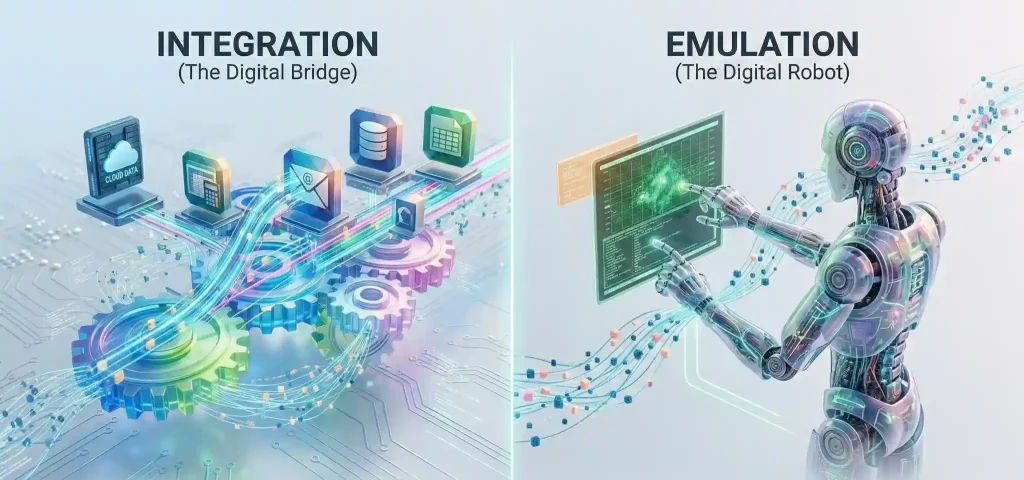
When choosing your path, the core question is: do you want to integrate your systems or emulate a user?

  • Integration (Workflow Automation): This approach is about building deep, stable connections between apps using APIs. It is the best choice for processes that span multiple departments and require complex logic or human approvals—such as Employee Onboarding or Sales Lead Routing.

  • Emulation (RPA): This approach uses “bots” to mimic human actions at the user-interface level—clicking, typing, and copying. RPA is your “heavy lifter” for high-volume, repetitive chores in systems that don’t have APIs, like Invoice Processing in a legacy ERP or Data Entry from structured forms.


The Hybrid Approach: Can They Work Together?


A visual metaphor of Workflow Automation as a central brain orchestrating and controlling a team of specialized RPA robots, ensuring unified operations and optimized Business Process Management.The most efficient companies in 2026 don’t choose one; they use Hyperautomation to combine both.

A hybrid model uses workflow automation to handle the “big picture” coordination while calling on RPA bots to handle specific, mundane tasks within that flow. For example, in a purchase order process, workflow automation can handle the routing and manager approvals, while an RPA bot handles the actual data extraction and system modifications in your accounting software. This combination delivers speed, accuracy, and the ability to handle complex exceptions.

  • Comprehensive Coverage: Automates every component of a process, from high-level routing to task-level execution.

  • Human-in-the-Loop: Workflow automation manages decision points, routing exceptions to human experts when the bot hits a wall.
 

Security & Governance in Automation


As automation becomes the bedrock of your operations, security is no longer an afterthought—it is a requirement for survival. In 2026, governance is about balancing speed with transparency and risk control.

Managing a fleet of bots and workflows requires a “Single Source of Truth”. You must ensure clear Data Lineage (knowing where every piece of data came from) and implement Role-Based Access Control to ensure only authorized users can modify your automations.

  • Authentication: Always use secure systems like Single Sign-On (SSO) and SAML to manage access to your automation tools.

  • Real-Time Monitoring: Implement alerts for “Model Drift” or bias to catch errors before they propagate through your systems.

  • Audit Trails: Maintain detailed logs of who accessed what and when to pinpoint responsibility and spot suspicious activity.


The Roadmap: How to Choose Your Starting Point


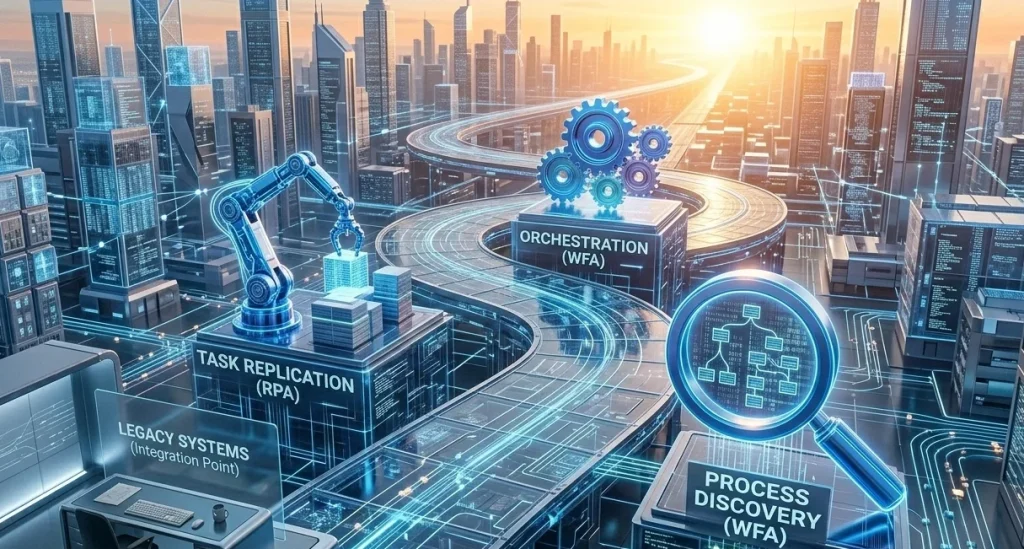
A strategic digital roadmap illustrating the integration of Legacy Systems, RPA, and Workflow Automation (WFA) as milestones for a successful business digital transformation.Moving toward an “Automated-First” business is a journey, not a sprint. The goal isn’t just to be “high-tech”—it’s to be efficient.

  1. Process Audit: Identify tasks that are repetitive, rule-based, or high-volume.

  2. Define Your Goal: Are you trying to improve the flow between teams (Workflow) or offload mindless chores (RPA)?

  3. Start Small: Launch a pilot program for a single, high-impact use case to prove the ROI before scaling.

  4. Involve Stakeholders: Get buy-in from IT, legal, and the business units that will actually use the tools.

In the end, it’s not about RPA or Workflow Automation; it’s about choosing the right tool for the job. Whether you need the “glue” to connect your cloud apps or the “twins” to handle your legacy data, the right strategy will reclaim your time and fuel your growth.

Ready to reclaim your time? Explore our Workflow Solutions
Build custom AI solutions that deliver real business value

From strategy to deployment, we help you design, develop, and scale AI-powered software that solves complex problems and drives measurable outcomes.

Facebook
Twitter
LinkedIn

Recent Post

Your journey to innovation starts here

Let’s bring your vision to life with our expertise in AI and custom development. Reach out to us to discuss your project today!